When it comes to workplace safety, have you considered the company parking lot or garage? Your workers use it at least twice a day to stow and shelter their vehicles, but beyond that it’s fairly invisible. A closer look reveals that predators might easily be lurking there. To minimize this threat, experts recommend ensuring that workers (as well as visitors) take these precautions:
Stay alert for cruising vehicles, whose drivers can stop suddenly and jump out to rob or assault you.
If you’re using a parking lot, park near the building in a visible, lighted area.
In a parking garage, park near the parking attendant (if there is one) or near a well-lit exit. Women should avoid using stairs and elevators, if possible.
Use the main exit/entrance rather than a side or secluded one.
Lock any valuables (including GPS, shopping, other bags, etc.) out of sight. If you’re walking to your vehicle after hours, ask a co-worker or security officer to accompany you.
If you have to walk alone, ask someone to watch from inside, if possible. Turn around frequently to make sure you’re not being followed and pretend that you’re waving to someone ahead to give the impression you’re not alone.
Don’t talk on your cellphone or listen to music with ear pods — predators are looking for victims who seem distracted or unaware.
Have your car keys and personal alarm or whistle ready as you approach your vehicle.
If someone nearby looks suspicious, keep walking and get to a safe place where you can call for help.
Before you unlock the door, take a good look around, inside, and behind the vehicle.
Once you enter the vehicle, lock all doors promptly and keep your windows up until you’ve exited the lot or garage.
“Cybersecurity is definitely no longer a server room issue,” says David Finn, Executive Director at the Microsoft Cybercrime Center. “It’s a boardroom issue.” He notes that on average, it takes 243 days before an organization even knows that it was penetrated by a cybercriminal.
Today, when one in five businesses are the target of a security breach, bad things are inevitably going to happen. That’s why looking at your organization from “the bad guy’s perspective,” says Tiffany Rad, is crucial. Rad is rated one of Bloomberg’s top “white hat” hackers (computer specialists who break into protected networks to test security and advise organizations on improvements).
One of the most difficult things in Rad’s industry is protecting against insider threats. But she notes there are products entering the market that have “an algorithm to check for abnormal patterns, when it looks like someone’s going to sites perhaps that they shouldn’t be during working hours or they’re on different hours than normal.”
In terms of external threats, there’s a lot of attention on protecting businesses as they move to the cloud. Ken Biery Jr., Verizon’s Managing Principal of Governance, Risk and Compliance, explains that it’s important to provide physical and logical security. Rad agrees, noting that in addition to firewalls and antivirus software, protection against malware is critical as more and more hackers look to steal intellectual property to give themselves or your organization’s competitors a heads-up on what your organization is planning.
You’re “only as safe and secure as your weakest link,” says Finn, admitting that when you rely on the cloud, “you trust that an organization is going to invest enormously in your security.”
But, as Biery sees it, “the good thing about a lot of the cloud providers that are out there is their default security, and the security they built into their environments are often better—especially for small and medium businesses—better than what they could do themselves.”
Biery also points out that companies need to stay in control with the advent of BYOD (Bring Your Own Device). With mobile device management, “you can take and keep your sensitive information in an encrypted container on that employee’s phone. So it kind of exists as its own virtual machine in that environment,” he says, explaining that you can delete access and the encrypted container without affecting personal data such as photos.
The bottom line, agree the experts, is that companies of all sizes need to amp up protection. Even if you think your business information isn’t of interest to others, Rad assures us that there will always be hackers that find your digital footprint interesting and will do something with it—if only because they can.
Let us know how you keep your own business safe on Facebook and Twitter.
Mobile devices are the mighty double-edged swords of today’s workplace. On the one hand, they provide greater integration of information, on the other, they could be your business’s one-way ticket to a catastrophic security breach. This week we had the amazing opportunity to speak with Anthony Kinney, Microsoft’s Verizon Partner Manager, about mobile security and the ways to mitigate data risk in a BYOD environment.
According to Kinney, the three main security risk areas associated with BYOD are:
Data loss prevention, which has to do with securing the data on a device in the
case of it being lost or stolen.
Data in transit, which is most often
protected by encrypting information to ensure that all communications between
the device and backend infrastructure are secure.
Data leakage, which is
about keeping a user’s work and personal information separate. In other words,
“protecting users from themselves.”
We asked Kinney what Microsoft is doing to make sure that moving to a pocket office doesn’t mean introducing security risk. He discussed how our multilayered approach to security makes adopting a BYOD policy far less of a risk, with solutions like Secure boot technology, remote “wipe” capabilities, and automatic cloud storage (among other security solutions).
What makes the greatest difference, however, are the actions a company takes to ensure that their data is secure. The way Kinney sees it, employees jailbreaking and rooting devices is one of the largest risk factors for companies who allow employees to BYOD. What those companies do is implement third-party services to “containerize the data,” so it never actually goes onto the local device.
According to Kinney, Windows Phone solves for this by protecting the data at the data center level before it even gets to the device. This means each document can have specific edit/view/share settings so that when it’s accessed on a mobile device it can’t be ‘saved as’ or forwarded to another cloud service, depending on what the settings permit. This way the phone fully understands the corporate policies on the document, helping IT to provide security—even at the file level.
This level of device integration with your data allows your company to consider a BYOD or CYOD policy without the need for third-party security solutions—which themselves offer another point of potential failure and risk. By working with your existing desktop OS, email, and other systems, the native Windows Phone OS helps mitigate data loss risk for your pocket office by preventing it in the first place.
Although business management and performance are the major factors that will determine which contractors survive the downturn in construction, the size of the contractor also comes into play. As a rule, project owners are more likely to continue with larger developments because of their greater value, higher investment, and longer lead time. Smaller projects are easier to cancel, which makes smaller and midsize contractors (with work backlogs between $5 million and $100 million) more vulnerable to cancellation.
If you’re experiencing losses on a project, your first step should be to deal with overhead, liquidity, problems, and ongoing business concern. It’s also essential to communicate any problems to your insurance agent and surety company immediately! Because the surety has a strong financial interest in preventing you from default on your bond, it will leverage its relationship with the bond underwriter to help you work through these difficulties and reach a mutually acceptable solution that will keep you on the job.
However, a contractor withholding critical information about a problem situation from a surety would lead to a far different result. Concern about the contractor’s deteriorating financial condition – which makes it a riskier bonding candidate – might make the surety restrict its future capacity, leading it to make the contractor either bid on only smaller projects that pose less risk to the underwriter or postpone bidding on all projects until the business can clean up its balance sheet.
If you have any questions about working with your surety, please feel free to get in touch with the Bond professionals at our agency
Can you believe that winter is here already? Time flies. Always has, always will. However, as risk managers, we think that you should slow down for a moment and ask yourself if your risk-protection program has kept pace with the changing times.
Just as your business needs might have changed significantly since your last review, so have the methods of protecting you from risk of loss. New policies have been created, new techniques in risk management developed, and new exposures arisen.
Consider these questions:
Is your current risk protection program as up-to-date as it needs to be to meet your business needs today?
What if your business were unable to operate due to extensive damage?
How much income would you lose during the time it takes to open the doors again?
Or would your choice be to reopen as quickly as possible at another location? Bear in mind that the “hurry up” expense of making the move, installing the necessary equipment, and notifying your clients would prove a painful unplanned burden.
Let’s schedule a time for a review. Our professional staff stands ready to work with you. Regardless of your firm’s situation, it’s important to get a comprehensive risk review of your business as it is today, not as it was years ago.
Natural disasters can do significant damage to construction firms. Some suffer direct hits, while others endure massive service demands and shortages of help and supplies.
Although you might escape massive destruction and distress, what other events might cause your company to suffer a crisis? IT failure? Burglary or vandalism? Professional liability? Fire? Loss of market?
Whether disaster strikes as a catastrophic or stressful disruption, the best way to prepare for them is crisis management. Now is the time to develop a plan that will allow you and your staff to mobilize the right resources in the right order quickly to get you up and running as smoothly as possible.
How do you develop such a plan? What’s the process? Who should you include? How often should you review and update it?
We can help by providing risk management advice and recommendations, together with materials and resources tailored to your needs and exposures. Although insurance might not solve all your post-crisis problems, it can certainly provide a solid foundation for your planning should the worst happen.
Don’t wait for a crisis to uncover the gaps in your current preparations. Start now.

 When it comes to workplace safety, have you considered the company parking lot or garage? Your workers use it at least twice a day to stow and shelter their vehicles, but beyond that it’s fairly invisible. A closer look reveals that predators might easily be lurking there. To minimize this threat, experts recommend ensuring that workers (as well as visitors) take these precautions:
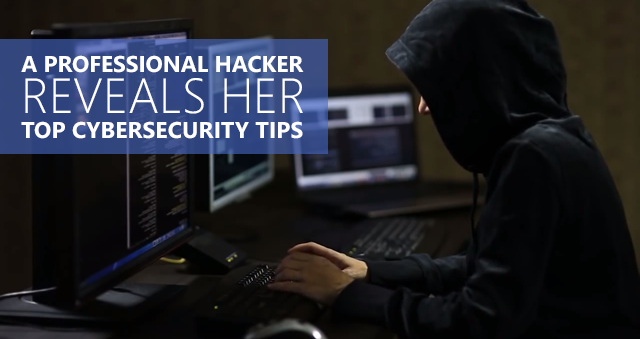
 Today, when one in five businesses are the target of a security breach, bad things are inevitably going to happen. That’s why looking at your organization from “the bad guy’s perspective,” says Tiffany Rad, is crucial. Rad is rated one of Bloomberg’s top “white hat” hackers (computer specialists who break into protected networks to test security and advise organizations on improvements).
 One of the most difficult things in Rad’s industry is protecting against insider threats. But she notes there are products entering the market that have “an algorithm to check for abnormal patterns, when it looks like someone’s going to sites perhaps that they shouldn’t be during working hours or they’re on different hours than normal.”
 You’re “only as safe and secure as your weakest link,” says Finn, admitting that when you rely on the cloud, “you trust that an organization is going to invest enormously in your security.”
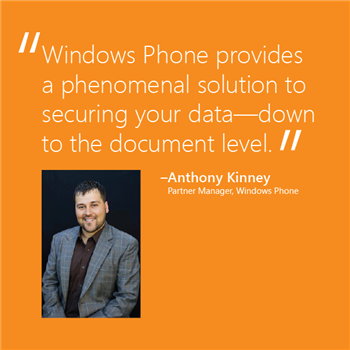 Mobile devices are the mighty double-edged swords of today’s workplace. On the one hand, they provide greater integration of information, on the other, they could be your business’s one-way ticket to a catastrophic security breach. This week we had the amazing opportunity to speak with Anthony Kinney, Microsoft’s Verizon Partner Manager, about mobile security and the ways to mitigate data risk in a BYOD environment.
 Although business management and performance are the major factors that will determine which contractors survive the downturn in construction, the size of the contractor also comes into play. As a rule, project owners are more likely to continue with larger developments because of their greater value, higher investment, and longer lead time. Smaller projects are easier to cancel, which makes smaller and midsize contractors (with work backlogs between $5 million and $100 million) more vulnerable to cancellation.
 Can you believe that winter is here already? Time flies. Always has, always will. However, as risk managers, we think that you should slow down for a moment and ask yourself if your risk-protection program has kept pace with the changing times.
 Natural disasters can do significant damage to construction firms. Some suffer direct hits, while others endure massive service demands and shortages of help and supplies.