
Representatives from the United States, Mexico and Canada recently reached an agreement to update the North American Free Trade Agreement (NAFTA). The new trade deal, referred to as the United States-Mexico-Canada Agreement (USMCA), includes a number of changes to support North American businesses, increase labor regulations and overhaul intellectual property (IP) protections.
Although the USMCA has many similarities to NAFTA, some important changes will likely affect businesses:
- North American auto industry—Starting in 2020, vehicles will only avoid tariffs if at least 75 percent of their parts are made in North America (up from the current 62.5 percent requirement). Also, at least 30 percent of the work done during the manufacturing process must be done by employees with hourly wages of $16 or more. Although these changes should help to discourage overseas imports, some believe that they could significantly increase the price of vehicles.
- Better IP protections—The new deal has stricter regulations to protect trademarks, copyrights and other strategic plans. The USMCA also extends copyright protections to 70 years beyond the life of the author.
- Disputes and reviews—One of the USMCA’s provisions allows for a special dispute process that’s handled by a panel of representatives instead of one of the three country’s court systems. An automatic review process will take place six years after the three countries ratify the deal, and it will automatically dissolve after 16 years.
NAFTA will remain in effect until all three countries approve the USMCA, which is likely to occur sometime in early 2019.
Read more

Workplace stress is a common aspect of employment, particularly if you often find yourself with a heavy workload. While it may not be possible to completely eliminate stress, it’s critical to manage it effectively.
One way to reduce workplace stress is through time management. Proper time management methods allow you to complete pressing tasks efficiently and allocate enough resources to finish future projects as well.
The following time management tips can help you reduce workplace stress caused by heavy workloads:
- Complete the most important tasks first.
- Learn how to say no to projects that aren’t time sensitive or fall outside of your responsibilities.
- Get plenty of rest so you are productive during the workday.
- Eliminate distractions and focus on the task at hand.
- Get an early start on upcoming projects whenever possible.
- Stay organized.
- Budget time between tasks to address any issues and to prepare for upcoming projects.
If workplace stress persists, it may be a good idea to speak with your supervisor. They will be able to provide ways to help limit your workload and improve your situation.
Read more
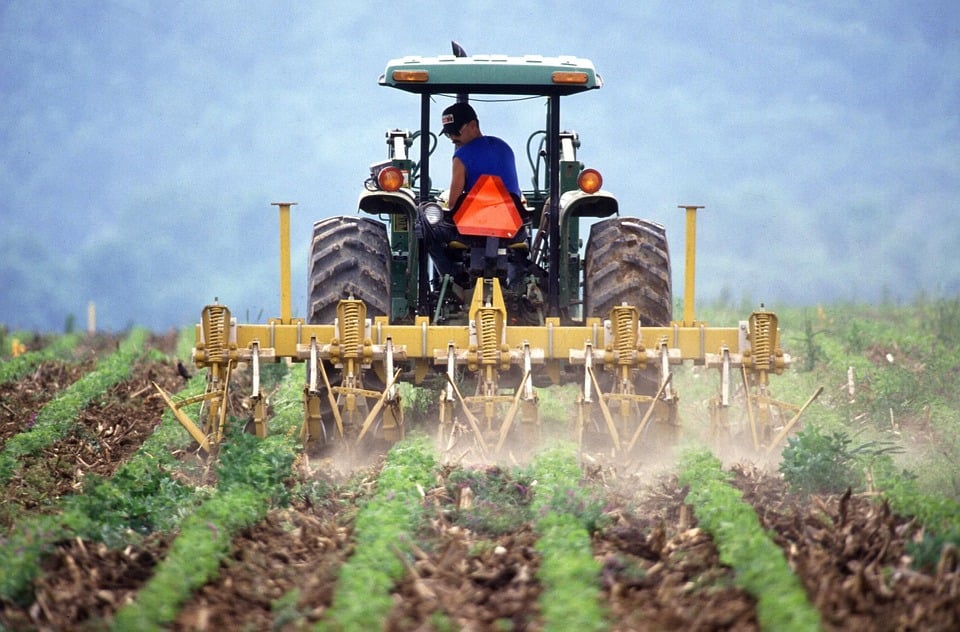
Flooded barns and lost crops are just a couple of the emergencies farmers have to deal with after a natural disaster. Thankfully, there are federal programs and resources available to help with some of the costs, but seeking them out can be confusing and time consuming. The agency you contact will depend on the type of damage you have, so a farmer may have to go to three separate agencies for help.
Disaster Relief – Helpful Links
3 STEPS TO POST DISASTER RELIEF
It can be overwhelming trying to navigate the different programs available. Here, we break it down into three steps:
Step 1: Take pictures. Disaster programs need documented damage, so take pictures before you clean up, and take note of specific losses. Save receipts for any purchases you need to make during recovery.
Step 2: Know what programs for coverage are available. There are several different programs that address different needs of hurricane relief. For example, the Farm Service Agency (FSA) handles assistance specific to farms and farmland. The Small Business Administration handles disaster assistance for businesses. The Federal Emergency Management Agency handles household damages and reconstruction.
Step 3: Be aware of important deadlines. Each program has different application processes and different deadlines. Make sure you get your applications in on time.
- If seeking the help of an FSA program, be aware that most have an application deadline of 30 days after the damage or loss occurs.
- If damage prevents you from planting, complete a Notice of Loss form and submit it to your local FSA office within 15 days of the planned planting date to determine eligibility.
- If you participate in Risk Management Agency (RMA) federal crop insurance, report the damage within 72 hours of discovery, and follow up in writing within 15 days.
Read more

Recently, Facebook announced that nearly 50 million user accounts were compromised in a data breach. The breach, which can be traced back to July 2017, is one of the largest in the company’s 14-year history.
While investigations are ongoing, the company said hackers exploited a software vulnerability in Facebook’s "View As" feature to steal access tokens and gain control of user accounts. Access tokens are effectively digital keys to specific accounts, and stealing them allows attackers to view private posts or compose status updates without the knowledge of the affected user.
In addition, the attack allowed the hackers to see anything that users can see on their own profile, including the names and birthdates of friends and family members. Such information could be used in future phishing attacks.
In response to the attack, Facebook reset 90 million logins automatically, fixed the software vulnerability and informed law enforcement officials. While the company says that users do not need to change their passwords, individuals experiencing login issues should navigate to Facebook’s Help Center.
As a safety precaution, users are encouraged to log in and out of all of their accounts on every device. Users can see all of the devices they’re currently signed into here.
To learn more about the breach, read Facebook’s official blog post.
Read more
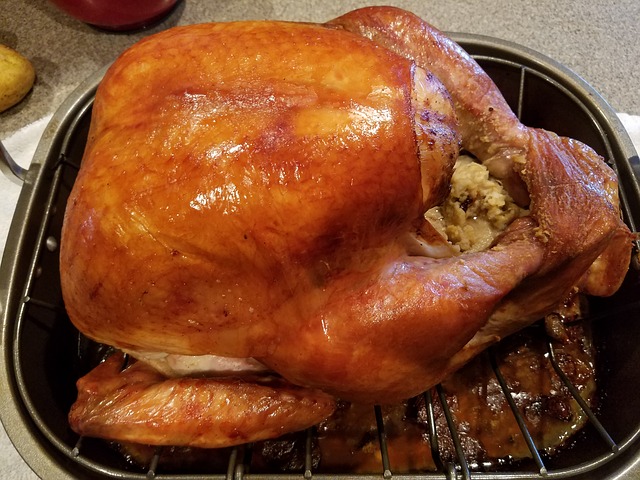
As with any cooking tool, it’s important to take caution when using a turkey fryer as it can be extremely dangerous. Here are some tips to consider when frying a turkey:
- Stay in the area where you are cooking. Leaving the turkey unattended may cause the fryer to overheat, resulting in a fire.
- Use your turkey fryer on a level surface. Anything that might cause the fryer to tip over may result in a hot oil spill.
- Thaw your turkey before cooking. Water from a still-frozen turkey can cause the oil to bubble or splash over the pot.
- Keep small children and animals away from the fryer while it is in use. There is a great risk that a child or pet could run into the fryer, knocking it down and causing serious injury. A safe distance of three to 10 feet away is recommended.
- Have safety equipment ready. Use oven mitts, goggles and an apron while cooking. Have a fire extinguisher nearby in case of emergency, and keep flammable items away from the fryer.
Your Safety Matters!
For your safety, only use a turkey fryer outside and away from your home. Never use a turkey fryer in a garage or on a porch. Also, be sure to keep some distance between yourself and the fryer as you monitor it—you wouldn’t want to accidentally get splashed with hot oil.
Did You Know?
The U.S. Fire Administration states that Thanksgiving is the peak day for home cooking fires. While preparing your Thanksgiving turkey can be a timeless tradition, it’s important to keep cooking safety measures in mind to protect yourself, your guests and your home.
Read more

Public Wi-Fi allows your team to stay connected on the go. You have to be careful, though, because public Wi-Fi is notoriously unsecure. Cybercriminals could also log into the free network you use and access data on your devices, such as your login information or confidential client files. Exercise caution and stay safe in several ways as you use your laptop, tablet or smartphone on public Wi-Fi networks.
Verify the Network Name
Before logging in, research the network. Only log into Wi-Fi that originates from a legitimate source as you avoid a man-in-the-middle attack. For example, cybercriminals may name their network “Free Wi-Fi” or mimic the establishment’s name as a way to attract users. Ask the barista, librarian or other staff member to verify the name of their public Wi-Fi network before you log in.
Turn off File Sharing
Your team relies on file sharing, but this feature is lucrative for cybercriminals, too. That’s why you want to turn off file sharing when you use public Wi-Fi. This step protects your files and data you don’t want criminals to access.
Use a VPN
A virtual private network (VPN) encrypts data as it travels between your device and the server. Research free and paid VPN options, then add one to your devices for protection when you need it on the go.
Check for HTTPS
If you see a lock symbol and HTTPS in front of the website address in the status bar, you’re browsing a secure site. You can also use an HTTPS extension for extra protection.
Enable Two-Factor Authentication
With two-factor authentication, you add an extra layer of protection to your online browsing. Even if cybercriminals gain access to your password, they probably cannot get into your account since they need to enter a unique authentication code also.
Update Software
Browser and software patches can improve security. Make it a habit to install these patches when you’re connected to a trusted network. Never update software when you’re connected to public Wi-Fi.
Forget the Network
After your public Wi-Fi session ends, log off all the websites you were signed into and tell your device to forget the network. This step prevents cybercriminals from connecting to your device automatically the next time you’re in the network area.
Limit your Activity
It’s tempting to think that cybercrime couldn’t happen to you or that you can afford to be careless because you have cybercrime and business liability insurance. However, always use caution. Save sensitive or confidential work for when you’re on a trusted network.
Your company may utilize public Wi-Fi often to stay connected and get work done. Encourage your employees to use caution and follow these steps as they stay safe.
Read more
