
Recent headlines about electronic spies hacking into computer networks from the Pentagon to China reinforce the dangerous reality that a “malware” (software that accesses systems to steal sensitive financial and client information) is becoming increasingly sophisticated and widespread.
According to a recent report from the NPD Group, the average U.S. household with a Web connection has 5.7 devices – desktops, laptops, tablets, and/or smart phones — which are highly vulnerable to malware attacks. The more workers who use these devices to access the Web sites of their employers, the greater the threat of cybercrime.
To help protect the security of your company’s data against intrusion from malware, experts recommend taking these precautions:
- Identify the business processes and data you need to protect and the risks associated with them.
- Limit access to sensitive data to authorized users. Provide them with strong passwords and don’t allow any sharing.
- Make sure that employees use only secure wireless networks when connecting to your site.
- Provide users with strong authentication measures and anti-malware software.
- Know your users and their behavior. Compare details of incoming login connections with the information you have about the user. If you find anomalies, add such precautions such answering a security question.
- Look for corrupted devices. Authenticated users might acquire malware on their devices that puts your data at risk once they log in. For example, man-in-the-browser (MitB) attacks can hijack authenticated sessions.
- Secure high-value transactions. Identify these transactions and refuse to accept them from devices with suspicious configurations.
Our agency’s specialists can work with you in developing and implementing a comprehensive anti-malware program for your company. Please feel free to get in touch with us at any time.
Read more

A survey by the Centers for Disease Control and Prevention (CDC) found that 69% of U.S. drivers talked on their cell phones – and 31% read or sent text messages or e-mails while driving. “The cell phone can be a fatal distraction for those who use it while they drive,” warns CDC Director Thomas Frieden.
Using cell phones to text behind the wheel can increase the danger of fatal crashes by six to 23 times, and drivers using hand-held devices are four times more likely to become involved in crashes serious enough to injure themselves.
You probably have rules about employees talking on their phones and texting while driving – but are they following them?
According to Jim Evans, president of human resources consulting firm JK Evans & Associates, some bosses turn a blind eye to cell phone use behind the wheel, while others don’t want to cut into their employees’ productivity. His advice to employers: “Dust off the old cell phone policy or unwritten practices and revisit whether employee safety and employer liability is at risk.”
To minimize this danger, your company should require employees who drive on the job to:
- Turn off personal phones or switch them to silent mode before entering a company vehicle.
- Pull over to a safe area if they need to make a cell phone call or send or answer a text message.
- Ask a helper or another passenger to make a return call.
- Contact supervisors or dispatchers when the vehicle is parked.
- Avoid smoking, eating, drinking, reading, and any other activities that distract them behind the wheel.
- Tell people who call them while driving that they’ll call back after reaching their destination.
- Not send or answer text messages, surf the Web, or read e-mails.
Read more

Your last newsletter discussed the benefits of Building Ordinance insurance. If you’re planning to build on your property or adding to an existing structure, a related policy – Builders Risk – can protect you from losses during construction, helping make sure that you finish the project.
The amount of coverage should reflect the total value of the completed structure (including the costs of material and labor, but not the value of the land). In most cases, the construction budget will be the best source for calculating this amount.
The policy is usually written for a period three months, six months, or 12 months. If needed, the term can be extended once.
Builders Risk covers damage to the insured structure(s) from a wide variety of causes, ranging from natural disasters (wind, lightning, hail, and lightning) through accidental events (fire, explosion, or vehicle accidents) to human activities (such as theft and vandalism). Coverage usually also includes:
- Fire department service charges for saving or protecting property from a covered cause of loss.
- Removal of debris from property damaged by a covered loss.
- Losses from the backup of sewer and drains.
Most policies exclude losses from earthquake, flooding employee theft, mechanical breakdown, contract penalties, war, government action, or faulty design and workmanship. You might be able to add coverage for some of these exclusions – such as earthquakes and flooding – if the building is in an area that’s prone to one or both of these natural disasters.
Bear in mind that this policy does not provide Liability coverage for accidents or injuries on your property.
We’d be happy to tailor a comprehensive Builders Risk product that fits your needs – and budget. Just give us a call.
Read more
 Pop quiz time. What’s more secure; financial records locked in a filing cabinet or financial records stored in the cloud?
If you don’t understand how cloud security works, you probably said the filing cabinet. It’s time for a little mythbusting about how secure your paperless office could be.
Last week, Cindy Bates posted on the Microsoft SMB Blog about the benefits of a completely paperless office. Like Delta Airlines, who recently switched to the paperless cockpit, it’s possible for any office or organization to ditch the dead trees and move entirely into the digital space.
One of the first questions decision makers ask when considering the paperless office is “how
secure is this?” It’s a fair question, so let’s consider Delta’s paperless cockpit example and overall data security.
The problem with paper is that, well, it’s paper. Paper gets lost, it burns, it can be misfiled and disappear. It’s only as secure as its physical location. If that location is a locked filing cabinet (or a vault under Fort Knox), if someone really wanted to get to it, they could.
A file in the cloud cannot burn, be stolen, accidentally left behind in a restroom, or any other number of things that could affect a hard copy of important information. For a recent example, take a look at the Internet Archive, whose scanning facility in San Francisco caught fire. Although no data was stored in their San Francisco office, if it had been, cloud redundancies would have prevented any loss.
But what about a data center, such as what powers Windows Azure or Office 365? Let’s start with physical security: data centers are monitored 24 hours a day, 365 days a year. A team of ninjas could, in theory, break in, but they’d still have to know which of the thousand machines contained your exact data—so unless you’ve upset the cast of Ocean’s 11, it’s significantly less likely than an office fire that could destroy physical data.
In addition, with Office 365, data transmitted across networks is encrypted—so if some agency (or other villain) happens to tap the wires, they still won’t be able to read your files.
While a move to a paperless office does not entirely guarantee data security—there are still those ninjas to think about—it is significantly more secure than leaving your information in paper form, where it could be destroyed or stolen with greater ease.
It’s just one more reason to go paperless.
Read more
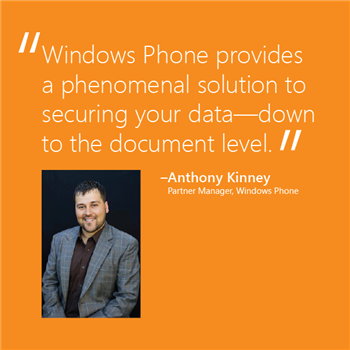 Mobile devices are the mighty double-edged swords of today’s workplace. On the one hand, they provide greater integration of information, on the other, they could be your business’s one-way ticket to a catastrophic security breach. This week we had the amazing opportunity to speak with Anthony Kinney, Microsoft’s Verizon Partner Manager, about mobile security and the ways to mitigate data risk in a BYOD environment.
According to Kinney, the three main security risk areas associated with BYOD are:
- Data loss prevention, which has to do with securing the data on a device in the
case of it being lost or stolen.
- Data in transit, which is most often
protected by encrypting information to ensure that all communications between
the device and backend infrastructure are secure.
- Data leakage, which is
about keeping a user’s work and personal information separate. In other words,
“protecting users from themselves.”
We asked Kinney what Microsoft is doing to make sure that moving to a pocket office doesn’t mean introducing security risk. He discussed how our multilayered approach to security makes adopting a BYOD policy far less of a risk, with solutions like Secure boot technology, remote “wipe” capabilities, and automatic cloud storage (among other security solutions).
What makes the greatest difference, however, are the actions a company takes to ensure that their data is secure. The way Kinney sees it, employees jailbreaking and rooting devices is one of the largest risk factors for companies who allow employees to BYOD. What those companies do is implement third-party services to “containerize the data,” so it never actually goes onto the local device.
According to Kinney, Windows Phone solves for this by protecting the data at the data center level before it even gets to the device. This means each document can have specific edit/view/share settings so that when it’s accessed on a mobile device it can’t be ‘saved as’ or forwarded to another cloud service, depending on what the settings permit. This way the phone fully understands the corporate policies on the document, helping IT to provide security—even at the file level.
This level of device integration with your data allows your company to consider a BYOD or CYOD policy without the need for third-party security solutions—which themselves offer another point of potential failure and risk. By working with your existing desktop OS, email, and other systems, the native Windows Phone OS helps mitigate data loss risk for your pocket office by preventing it in the first place.
Read more
 If your Auto insurance company sees you as a deadbeat or high-risk or driver, it might cancel or non-renew your policy.
Because insurers take cancellation seriously they won’t eliminate coverage for a traffic ticket or two. What’s more, state regulators ban cancellations under most circumstances.
However, a company can non-renew your insurance at the end of each policy period (six to 12 months) or cancel the policy during the first 30 to 60 days that it’s in force. The main reason for midterm cancellation is nonpayment. State regulators set the requirements, such as a written notice of non-payment, together with a 10 to 30-day grace period to pay.
Some states allow insurers to cancel coverage, usually for an activity – such as a DUI conviction that involves bodily injury or substantial damage – which indicates you’re at high risk for an accident; or for misrepresenting your driving history (for example, not disclosing that your teenager was behind the wheel instead of you when an accident occurred). Some companies will backdate coverage to the cancellation date, while others will not cover you during the period when you haven’t paid your premiums.
If you can’t bring your account up to date or the company cancels you for a reason other than non-payment, your policy probably won’t be renewed – which means you’ll have to look for insurance elsewhere, probably at a higher rate. Depending on the reason for cancellation, some companies might refuse to write your business. In this case, you can to turn to the state’s assigned-risk pool, which offers bare bones coverage at higher rates.
Your best move is to do everything possible to avoid cancellation or non-renewal. For example, if you can’t afford to premium payments, consider reducing your coverage rather than take the risk or cancellation.
For more information, just give us a call. We’re here to help!
Read more
