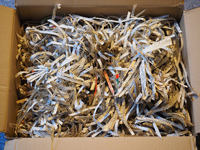
 Do you have a pile of papers collecting dust on your desk, in your filing cabinet or in a safe? Instead of stockpiling every electric bill, tax return and retail receipt from the last 20 years, learn which papers to keep and which to toss.
Bank records – Shred your checking and saving account statements monthly or after you reconcile your accounts.
Credit card statements – Shred them after you pay the bill except if you need to prove a charitable donation for your tax return.
Health records for humans and pets – Keep medical records and paperwork that documents your health history, including details about medications, immunizations, x-rays, medical tests, surgeries and major health events.
Instruction manuals – Keep these papers until you sell the item.
Insurance policies – Save copies of your auto, home or renters insurance policies to prove you’re covered and to compare coverage during your annual renewal. Shred the old copies when you get new ones.
Investment statements – Shred monthly and quarterly statements but keep annual ones until you sell the investments.
Loan documents – Shred closing documents for loans after you pay them off.
Pay stubs – File with your tax return information until you file your taxes and then shred them.
Retail receipts – Shred or toss receipts after you reconcile your receipt with your budget. Keep them if you need to return an item, purchase items that are eligible for a tax deduction or wish to retain proof of an item’s original cost.
Savings bonds – Keep them until you cash them in.
Tax returns – Retain them and any supporting documents for seven years in case you are audited.
Utility bills – Review each month’s bill for errors then shred them.
Vehicle records – Retain receipts, registration info, titles and maintenance and repair records until you sell the vehicle.
Warranties – Store these until you sell the item.
The following papers you should store in a safe place indefinitely. Consider making copies of these documents, too, and storing them in a location outside of your home.
- Birth certificates
- Social Security cards
- Marriage licenses
- Divorce decrees
- Military service records
- Pension-plan documents
- Estate-planning documents that pertain to your will, power of attorney, end of life and trusts
- Life insurance policies
- Death certificates
Whether you store your papers in a pile on your desk or in a safe deposit box, reduce clutter when you understated which papers you need to keep. For more details on reducing paper clutter while maintaining the protection you need, talk with your insurance agent.
Read more
 COVID-19 has changed the way we are going to remember this Independence day weekend. Governor Newsom has announced stricter restrictions and closures ahead of the July 4th weekend, including a crackdown on mask wearing violations. Public fireworks have been cancelled in most counties.
However, it is a big holiday weekend and Americans will celebrate, here are some safety tips.
Take Precautions While Grilling
Burgers, hot dogs, fruit and pizza taste delicious when they’re grilled. Grab your favorite side dishes and follow a few precautions that ensure you and your guests grill safely.
- – Always supervise the grill when it’s in use.
- – Never grill indoors or in a fully enclosed area such as a garage or tent.
- – Use lighter fluid sparingly and never after the coals are ignited.
- – Keep children and pets away from the hot grill.
- – Remove flammable objects, including trees, from near the grill.
- – Use long-handled tools to handle food.
Use Fireworks Safely (if allowed)
Public fireworks displays are the safest way to enjoy the beautiful colors and terrific booms of this July 4th tradition, especially when you maintain a distance of at least 500 feet between you and the show. Firework displays at home can be fun though too. If you go that route, take these precautions.
- Follow the instructions on the packaging.
- Never allow children to play with the fireworks.
- Stock a fire extinguisher or water supply nearby.
- Wear eye protection when lighting fireworks.
- Remove flammable materials from the area.
- Never point fireworks toward people, animals, vehicles or structures.
- Properly dispose of duds rather than trying to relight them.
Stay Safe on the Beach (if allowed in your area)
Swimming is a fun summer activity, and it’s good exercise. At the beach, lake, public pool or backyard pool, stay safe with these tips.
- – Swim only in designated areas.
- – Obey the lifeguard and all posted signs.
- – Swim sober.
- – Get out of the water during a storm or if you hear thunder or see lightening.
- – Require children to wear life jackets.
- – Don’t dive into shallow water.
Wear Sun Bathing Protection
Picnics are part of many July 4th celebrations. You should also take these protective measures.
-
- – Wear sunscreen that’s at least 15 SPF.
- – Remember to apply sunscreen to your ears, hair part and the tops of your feet.
- – Avoid direct sunlight between 10 a.m. and 4 p.m. when the UV rays are strongest.
- – Reapply sunscreen every two to three hours or more frequently if you’re sweating.
- – Drink plenty of water even if you’re not thirsty.
- – Wear a hat, sunglasses and long sleeves if you have to be in direct sunlight.
- – Watch for signs of heat stroke, including hot, red skin, shallow breathing and rapid, weak pulse.
Please be safe out there, follow the rules and guidelines and have fun.
Read more
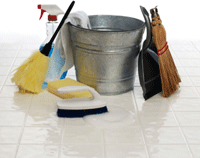
March 19 was the first day of spring – which makes this a good time to think about some “spring cleaning” around your workplace.
A thorough cleaning can enhance safety by eliminating hazards. Why not welcome in the spring by taking a careful look at some occasional and infrequent housekeeping tasks?
For example, clutter builds up in most work areas, creating such hazards as fire, tripping and blocked exits. Spring cleaning is the perfect time to dispose of:
Trash. Got a pile of broken pallets on the loading dock? Dumped a lot of construction debris on the back lot? Remove anything not in use that has piled up from the site.
Equipment. That frayed sling or wobbly ladder might be out of service, but if it’s not easy to repair, why is it still there?, even if it has a “do not use” tag on it, someone in a hurry or not paying close attention might use it anyway — and regret it afterward.
Chemicals. Old or unused chemicals create unnecessary workplace hazards. They might be flammable or toxic. What’s more, many chemicals that aren’t dangerous when purchased can become so as they deteriorate over time. Dispose of chemicals that are no longer in use, have passed their use-by dates, or have missing or illegible labels.
Clean and Repair. Besides clearing out the clutter, your spring cleaning can address infrequent needs that will boost worker safety and health. For example, maybe it’s time to clean and/or service:
Signs and labels. Signs and labels are important for workplace safety, warning workers of low clearances, identifying machinery controls and power sources, showing workers which direction materials in pipes are flowing, and much, much more. However, they also take a lot of abuse. Replace damaged signs and illegible labels, clean signs that have become too grimy to read, and re-hang signs that have been knocked askew.
Heating, ventilation, and air conditioning (HVAC) systems. A health hazard evaluation by the National Institute for Occupational Safety and Health found that properly maintained HVAC systems were associated with a decreased incidence of lower respiratory symptoms, allergies, and asthma among building occupants. Proper maintenance controls mold, bacteria, allergens, and other contaminants within the system.
Offices. University of Arizona researchers found that office phones, computer keyboards and mice, and desktops harbor 400 times more infectious bacteria than office toilet seats. Yet in most offices, vacuuming and emptying the trash are the only regular cleaning performed. Encourage workers to take disinfecting wipes to office surfaces — not just once a year, but daily if possible — to reduce infectious illness transmission in the workplace. Also, have your cleaning crew do an extra thorough job from time to time.
Remember, the cleaner your workplace, the safer your workers. Our risk management professionals would be happy to chat further– just give us a call.
Read more
With the current COVID-19 pandemic, more people are opting to away from crowds and social situations – and may work from home.
While and employer’s cybersecurity insurance can reduce liability, it makes sense to also implement several security measures in the telecommuting (work-from-home) policy to protect the company.
Use Secure Wi-Fi Networks
Sure, your employees could connect to their neighbor’s wireless network or use public Wi-Fi at a coffee shop. These unsecured networks can open the door for cybersecurity breaches, though. Instruct employees to only connect to secure Wi-Fi networks or provide a safe and secure Virtual Private Network (VPN) for use as they work.
Maintain Security Settings
To protect work-issued devices and confidential data, you may set security settings on the devices you give telecommuters. Remind employees that they should not use a proxy or other method to get around those security settings. Doing so will compromise their device and the company’s data.
Encrypt Everything
From apps to data, everything employees access from their work-issued device should be protected by encryption. This security measure makes it harder for thieves and hackers to steal or access information.
Limit Access
Employees should only have access to essential data and files, not the company’s entire virtual filing cabinet. This limited access protects information and improves security
Strengthen Passwords
To get into the device and access various files, employees should use secure passwords. The ideal password contains letters, numbers and symbols, is not easy to guess and is unique to each site. Change passwords at least once a month, too. For additional safety, utilize a two-step authentication process, PIN or token system when logging it.
Prohibit Device Lending
It’s common for telecommuters to let a co-worker or family member use their laptop or phone for a few minutes to check email, play a game or make a call. Discourage this practice since the other person could download questionable content, drop or damage the device, access confidential files, or otherwise compromises the device or security.
Protect Devices from Theft
Leaving a laptop, tablet or phone unattended gives thieves an invitation to steal the device. Remind employees to keep their devices with them at all times and not leave their work devices unattended or in an unlocked vehicle. Likewise, they should take care to secure USB drives and other accessories from theft. You can add tracking capabilities to devices for additional security.
Log Out
After every work session, employees should log out of the websites they accessed, their Wi-Fi network and their device. This log out procedure protects company data.
Telecommuting is a privilege that benefits your employees and company. Use these security measures to protect everyone.
Read more
A rise in temperatures this month can signal spring fever in your office. Your human resources department staff can improve focus and keep everyone on task in several ways.
1. Provide New Challenges
Your employees may feel distracted in part because they’re bored, so provide challenges. Ask them to work in a different department for a day, take on a special project or work with a high school intern. The challenge can provide a welcome distraction and jump-start focus and concentration.
2. Offer a Class
Give employees the opportunity to learn a new skill. You can poll your staff for suggestions or offer foreign language, management or coding classes. While learning something new, your employees will focus on something other than the nice weather.
3. Promote Exercise
Physical activity improves focus, an excellent reason to host a fitness class over lunch, offer discounts to the local gym or encourage employees to bike or walk to work. As your staff members add more exercise into their daily routines, they also focus better on their work-related tasks.
4. Encourage Breaks
Remind employees that breaks can improve their mental health, productivity and focus. Set a timer for hourly stretch breaks, and share the value of regular lunch breaks away from the desk.
5. Change the Scenery
Hang colorful artwork around the office or commission a floral mural in the break room. You can also allow employees to meet at a local coffee shop, play disc golf during lunch or hold walking meetings outdoors. Employees will appreciate the opportunity to enjoy the warm weather, and the change of scenery boosts creativity, productivity and motivation.
6. Stock Healthy Snacks and Beverages
Fill your break room with healthy food and beverage options, including fruit, veggies, whole grains and water. These snack options boost mood and creativity and improve your employees’ overall health.
7. Play a Game
Challenge employees to participate in a March Madness basketball bracket, host a chili cook-off or reward teams who reach productivity goals. Games keep employees entertained and as a bonus, you’ll see a stronger spirit of cooperation.
8. Bring the Outdoors Inside
Plants can purify the air and improve mood. Arrange plants around the office as you bring a bit of the outdoors inside your office.
9. Adjust Work Hours
If your employees can arrive early and leave work early, they get to enjoy the warm, sunny afternoon weather. Adjust work hours, if possible, and allow employees to indulge their spring fever while completing their work.
Spring fever might try to curtail productivity in your office, but you can improve focus with these steps. Everyone will be happier and work smarter thanks to your efforts.
Read more
Spring will be here soon, and bicycling can be a fun activity your entire family enjoys. Plus, it’s heart-healthy and reduces stress. Before heading out for a ride, be sure 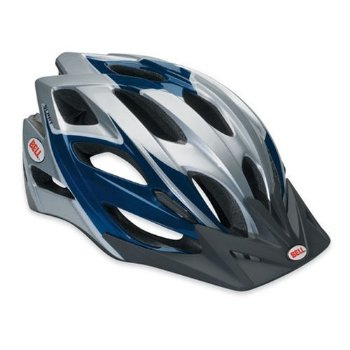 everyone in your family owns and wears a correctly sized bicycle helmet.
1. Verify Safety
Helmets manufactured since March 1999 must meet Consumer Product Safety Committee (CPSC) standards. Look for the CPSC label or sticker inside the helmet and know that this safety equipment will reduce the effects of any impacts.
2. Select the Right Size
Helmet size varies between brands, so take head circumference measurements before you buy helmets. To find your circumference, wrap a ribbon around your head. It should sit on your forehead, just above your ears and extend to the bottom of your hairline on your neck. Then, stretch the tape on a ruler.
Small: 52-58 centimeters
Medium: 56-62 centimeters
Large: 60-66 centimeters
Ideally, helmets should fit snugly but comfortably. They also should fit level on your head with the “Y” of the strap falling at your ear lobe’s bottom. Helmets should also rest low on your forehead and sit about one to two finger-widths above your eyebrows. With it on, you should be able to hear and see clearly.
3. Look for Padded Inserts
Sometimes, extra padding helps a helmet fit better, especially for kids. Follow manufacturer’s instructions when inserting the padding properly.
4. Choose a Color
Whether you want a helmet in your favorite color or one that matches your bike, the color isn’t as important as the fit. However, you may need to prioritize the helmet’s color as a way to encourage your reluctant children to wear and enjoy their bicycle helmets.
Your family can bicycle together and stay healthy as you bond. Just be sure to wear bicycle helmets. They prevent head injuries and are a must each time you step onto your bike. Choose the right helmet and stay safe.
Read more
